

How I Turned Discord into a CRM
5 automations for early SaaS teams

Dashboards show aggregates like MRR, signups, and retention. They don’t show user context. To understand a user, you have to jump between your database, analytics, support, and Stripe.
A CRM sounds good on paper. But for an early team, it means rebuilding data pipelines, finding a CRM admin you don’t have, and trying desperately to get engineers to use it (they won’t).
At Val Town, I use Discord as my CRM. Automations stream user profiles, analytics events, and billing into searchable threads. I type a username and see when they joined, what they’ve built and posted, and whether they’re subscribed. All in one place!
5 Discord automations to centralize user activity
1. New user enrichment ↗︎
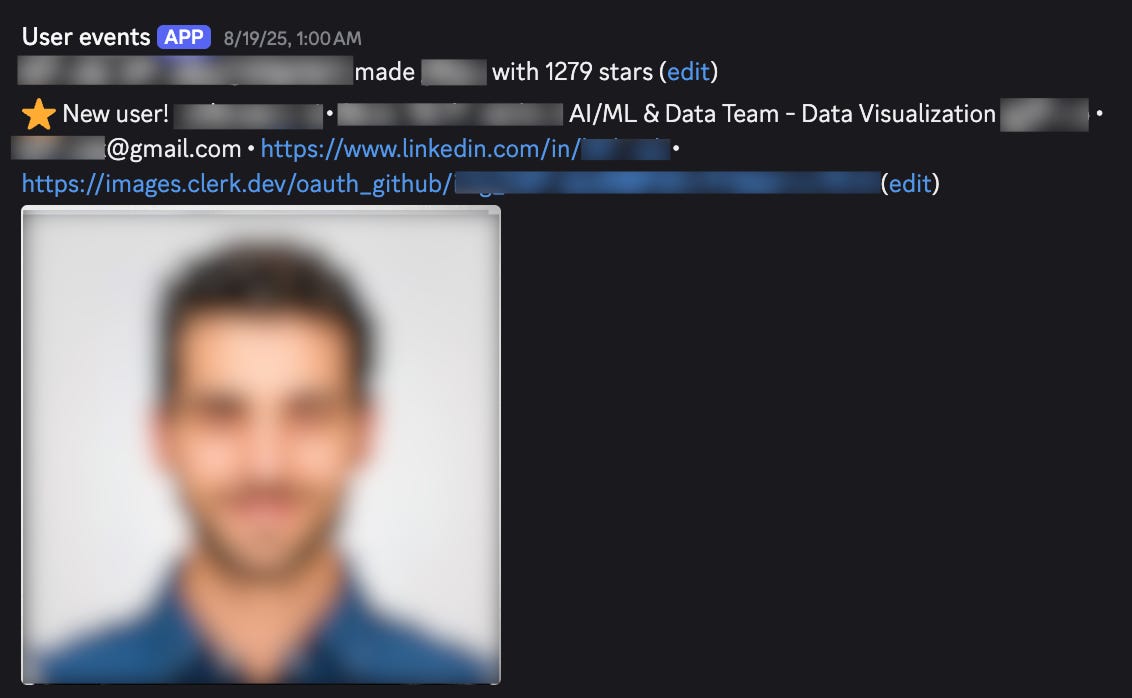
Every new signup triggers a Clay-enriched Discord message with the user’s company, funding stage, and team size. If they have a GitHub repo with 100+ stars, I trigger a second alert.
2. Stripe events ↗︎
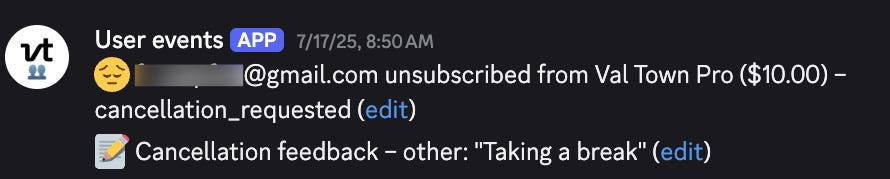
Stripe's Slack integration flags cancellations but not the reason.
I pipe events into Discord and pull the reasons from
event.data.object.cancellation_details.feedbackso it shows up alongside other signals.
3. PMF survey responses ↗︎
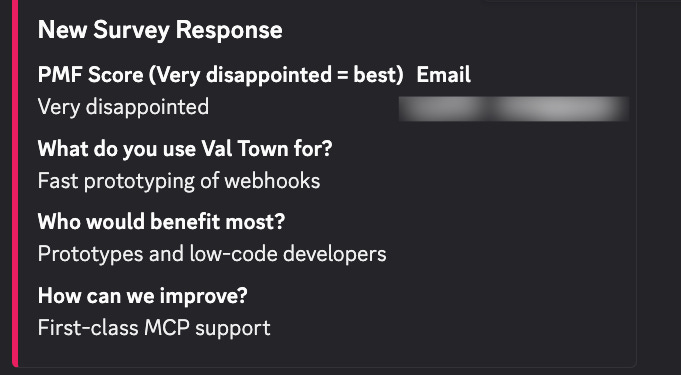
PMF is product-market fit. In the PMF survey, you’re on track when 40% or more of respondents say they’d be “very disappointed” without your product.
I pipe responses into Discord to see what users value and what blocks wider adoption.
4. Rage clicks ↗︎
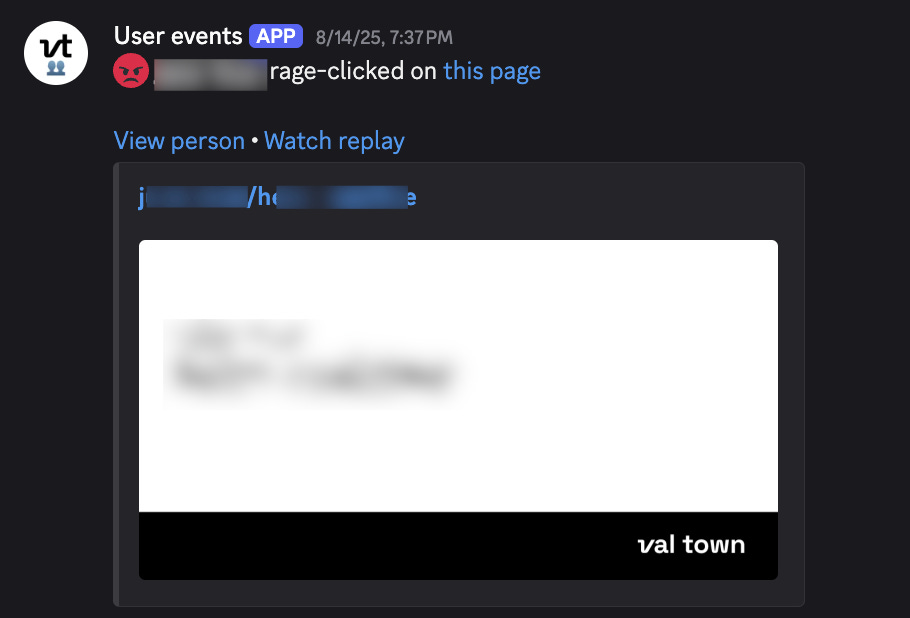
PostHog flags rage clicks (3+ clicks in 1 second). I send the corresponding session recordings to Discord.
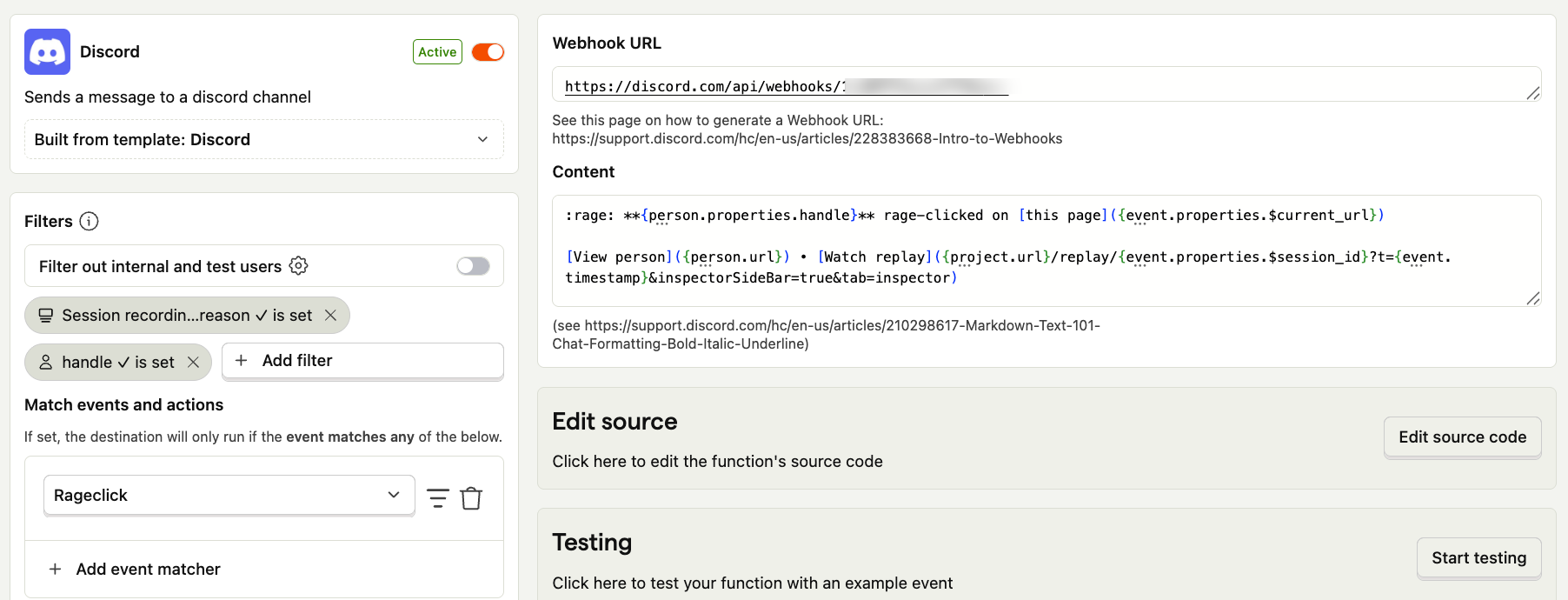
These messages surface UX issues before users file tickets.
5. Daily activity digest ↗︎
This is how I learned Tobi from Shopify uses our product!
I’ve heard founders say they wish they could see everything users are doing in their product. Of course, that would be impossible. A real-time firehose would be very noisy.
Instead, I built a daily digest that highlights the highest-signal activities.
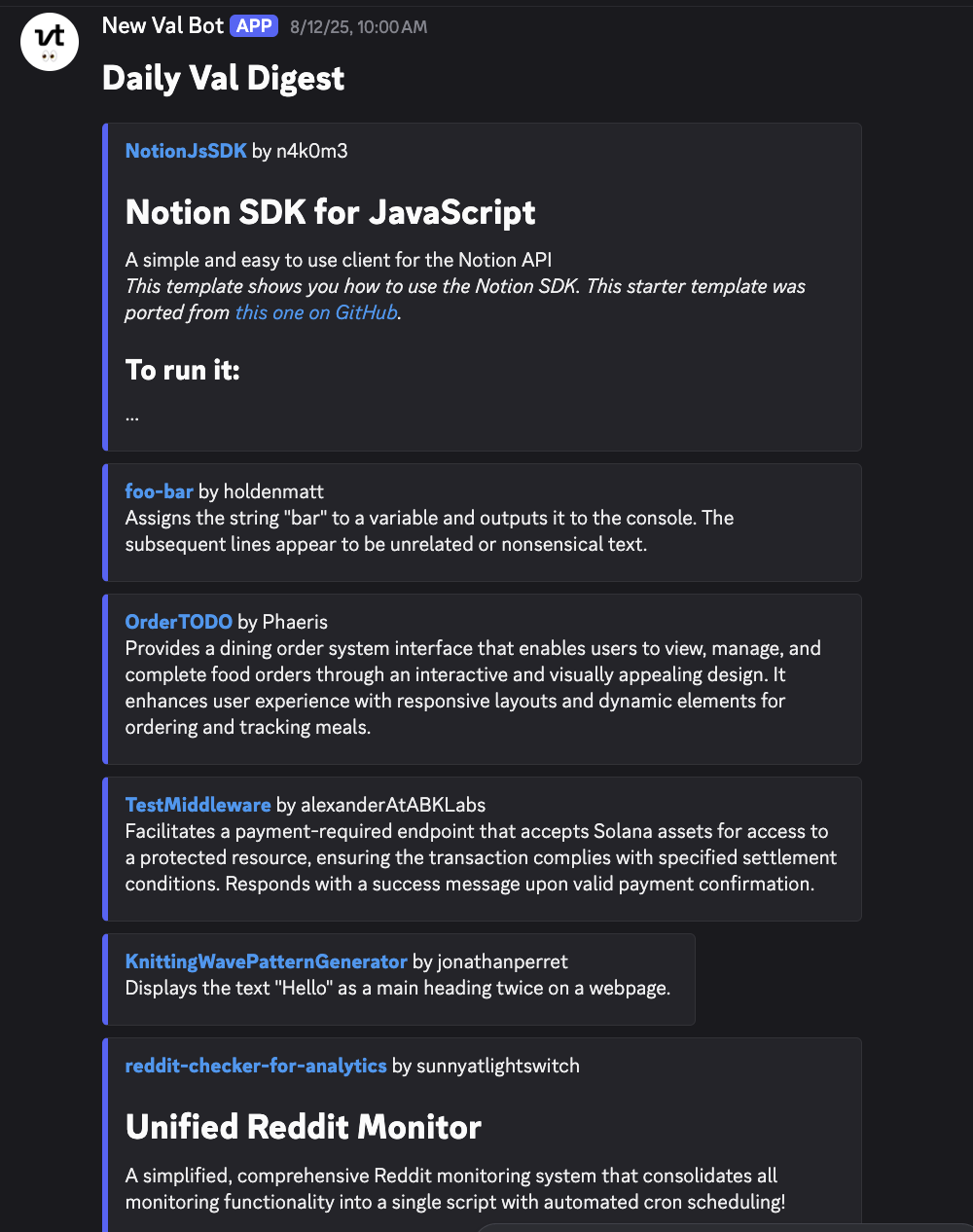
How I built it at Val Town:
Schedule a cron job to fetch new public projects with the Val Town SDK
Filter out empty projects, README-only projects, and shallow forks such as templates with minimal edits
Post a summary of each remaining project: use the README when available, otherwise create an AI-generated summary of the code
Why this works
At Val Town, Discord started as a community hub. I also use it to track users, handle support, and spot growth opportunities. I’m in there every day, I can access it anywhere, and I keep notifications scoped to what matter.
Sometimes the best CRM for early teams isn't a CRM at all.
Sounds very interesting. Thanks for sharing.
I’m excited to see more builds & automations!